The client call went well. You discussed scope, agreed on next steps, and hung up feeling confident.
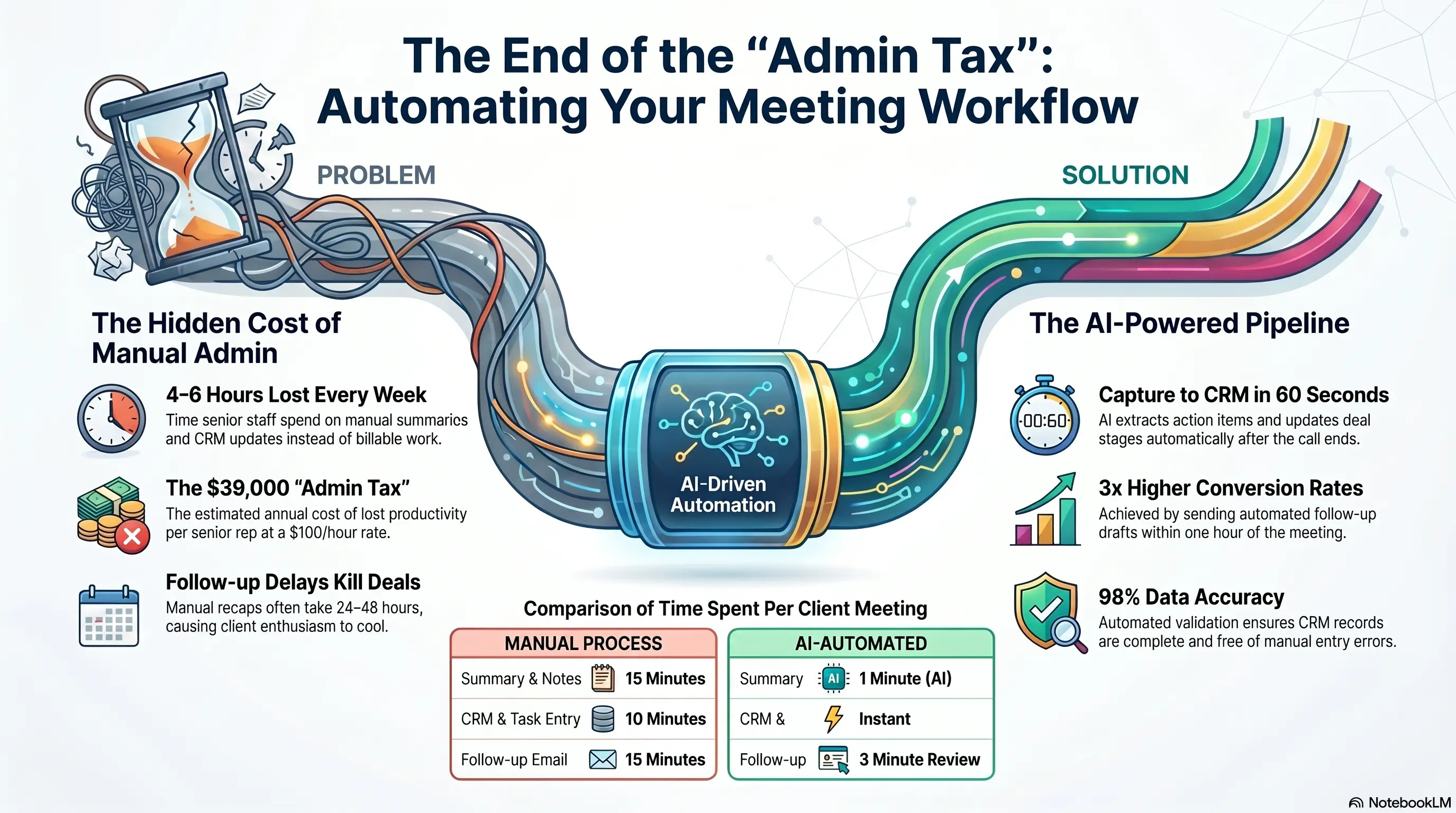
Then the admin tax arrives: 30-45 minutes writing meeting notes, updating the CRM, creating follow-up tasks, and drafting the recap email. By the time you send the follow-up, it's tomorrow—and the client's enthusiasm has cooled.
Multiply that across 8-12 client meetings weekly, and senior staff spend 4-6 hours on post-meeting admin instead of billable work or new sales.
AI meeting transcription plus automated follow-up workflows capture every word, extract action items, update your CRM, and draft follow-up emails—so you review and send in 5 minutes, not 45. Dinamiq maintains 98% data accuracy by validating at capture. The same principle applies to meeting data: capture once, correctly, and let automation distribute it.
This guide shows service businesses how to automate meeting notes and client follow-ups without sacrificing privacy or professionalism.
📋 The Post-Meeting Admin Burden Nobody Tracks
Post-meeting admin is invisible work that consumes senior time.
Typical Post-Meeting Workflow (30-45 minutes per call):
- Write meeting summary from memory or scattered notes: 10-15 minutes
- Update CRM with deal stage, next steps, and contact details: 5-10 minutes
- Create tasks for team members (send proposal, schedule follow-up, research): 5 minutes
- Draft and send follow-up email with recap and action items: 10-15 minutes
- File notes in shared drive or project folder: 5 minutes
For teams with 10 client meetings weekly:
- 5-7.5 hours/week on post-meeting admin
- 260-390 hours/year—equivalent to 6-10 weeks of full-time work
- At $100/hour senior rate = $26,000-39,000/year
What Gets Lost:
- Action items forgotten by end of day
- CRM updated inconsistently (some reps do it, others don't)
- Follow-up emails delayed 24-48 hours
- Context lost when different team members join the next call
Warning Sign: If your CRM pipeline doesn't match what was actually discussed in meetings, your post-meeting process is broken.
🎙️ Transcription Tools: Capture Every Word Automatically
Modern AI transcription goes far beyond speech-to-text.
What 2026 Transcription Tools Deliver:
Real-Time Capture:
- Join Zoom, Teams, Google Meet, or phone calls automatically
- Speaker identification (who said what)
- Timestamped transcript available immediately after call ends
AI Summarization:
- Executive summary of key discussion points
- Decisions made and agreements reached
- Questions raised but unresolved
- Action items with suggested owners
Popular Tools for Service Businesses:
- Otter.ai — Strong for recurring meetings, good free tier
- Fireflies.ai — Deep CRM integrations, conversation intelligence
- Fathom — Free for individual use, excellent Zoom integration
- Grain — Clip sharing for training and client communication
Integration Requirements: Choose tools that connect to your CRM and workflow platform—not standalone note apps that create another island.
Accuracy Expectations:
- Clean audio: 95%+ accuracy
- Accented speech or poor audio: 85-90%—always review before sending externally
The Result? A complete meeting record exists 60 seconds after the call ends—no typing required.
✅ Auto CRM Tasks: From Conversation to Action Items
Transcription is step one. The value comes from what happens next.
Automated CRM Workflow:
- Meeting ends → Transcript and summary sent to workflow trigger
- AI extracts action items → "Send proposal by Friday," "Schedule demo with IT team," "Follow up on pricing question"
- CRM tasks created automatically → Assigned to correct team member with due date and context
- Deal stage updated → Based on meeting outcome (discovery complete, proposal requested, negotiation started)
- Contact record enriched → New information discussed (budget, timeline, decision-makers) added to CRM fields
Dinamiq Standard Applied: Their 98% data accuracy comes from validating at capture. Meeting automation should enforce the same rule—required fields populated, duplicates flagged, incomplete records blocked from advancing.
Task Assignment Logic:
- Proposal requests → assigned to sales rep with 48-hour due date
- Technical questions → assigned to solutions team
- Contract/legal items → assigned to operations
- Follow-up calls → calendar invite created automatically
Warning Sign: If transcription creates notes but someone still manually creates CRM tasks, you've automated half the workflow.
📧 Follow-Up Email Drafts: Review, Don't Write
The follow-up email is where deals stay warm or go cold.
Automated Follow-Up Draft Workflow:
- AI generates email from meeting transcript:
- Thank you and meeting recap
- Key points discussed
- Agreed next steps with dates
- Any attachments or links mentioned
- Draft lands in rep's inbox (or CRM activity) for review
- Rep edits for tone and accuracy (2-3 minutes)
- Rep sends—or schedules send for optimal timing
What Makes a Good AI Draft:
- References specific topics discussed (not generic "great meeting!")
- Lists action items with owners and deadlines
- Includes relevant next step (calendar link, proposal timeline, resource link)
- Matches your brand voice (via custom instructions)
Speed Impact: Follow-ups sent within 1 hour of meeting convert 3x better than those sent next day. Automation makes the 1-hour window achievable for every meeting.
Template Customization: Different meeting types get different follow-up structures:
- Discovery call → recap + next steps + calendar link
- Proposal review → summary of feedback + revised timeline
- Project kickoff → roles, milestones, and communication plan
The Result? Reps send professional follow-ups in 5 minutes instead of writing from scratch for 15 minutes—and nothing falls through the cracks.
🔒 Privacy, Consent, and Professional Boundaries
Meeting automation requires thoughtful privacy practices—not just technical setup.
Consent Requirements:
Inform participants: "This meeting may be recorded and transcribed for note-taking purposes."
Most platforms allow announcement at call start. Some jurisdictions require explicit consent—check local regulations.
Client-Facing Calls:
- Always disclose recording at the start
- Offer to turn off transcription if client prefers
- Never share transcripts externally without permission
- Redact sensitive information (passwords, personal details) before storing
Internal Calls:
- Team policy on what's recorded vs. not
- Performance review and HR conversations typically excluded
Data Storage:
- Transcripts stored in secure, access-controlled systems
- Retention policy defined (delete after 90 days, or archive with client records)
- CRM data subject to same privacy rules as manually entered data
AI Processing:
- Understand whether your transcription tool trains on your data (choose tools that don't)
- Enterprise plans typically offer data isolation guarantees
Warning Sign: If your team records client calls without disclosure, you're creating legal and trust risk—not an automation problem, a policy problem.
🚀 Rollout: From Pilot to Team Standard
Week 1: Tool Selection & Policy - Choose transcription tool based on meeting platform and CRM integration - Write meeting recording policy and consent script - Identify 2-3 reps for pilot group - Connect tool to CRM and workflow platform
Week 2: Pilot Workflows - Pilot group uses transcription on all external client calls - Build automated workflow: transcript → summary → CRM tasks → email draft - Review accuracy and refine AI prompts for your meeting types - Measure time saved vs. manual process
Week 3: Refine & Expand - Fix edge cases (poor audio, multiple speakers, technical jargon) - Create follow-up email templates by meeting type - Train pilot group on review-and-send workflow - Gather client feedback (most won't notice; some will appreciate faster follow-ups)
Week 4: Team Rollout - Deploy to full sales and account team - Set expectation: follow-up within 1 hour of every client meeting - Monitor CRM data quality improvement - Track time savings and follow-up response rates
The Result? Teams typically reclaim 4-6 hours weekly per senior rep within the first month—and CRM data quality improves because updates happen automatically, not "when I get around to it."
💡 See These Strategies in Action
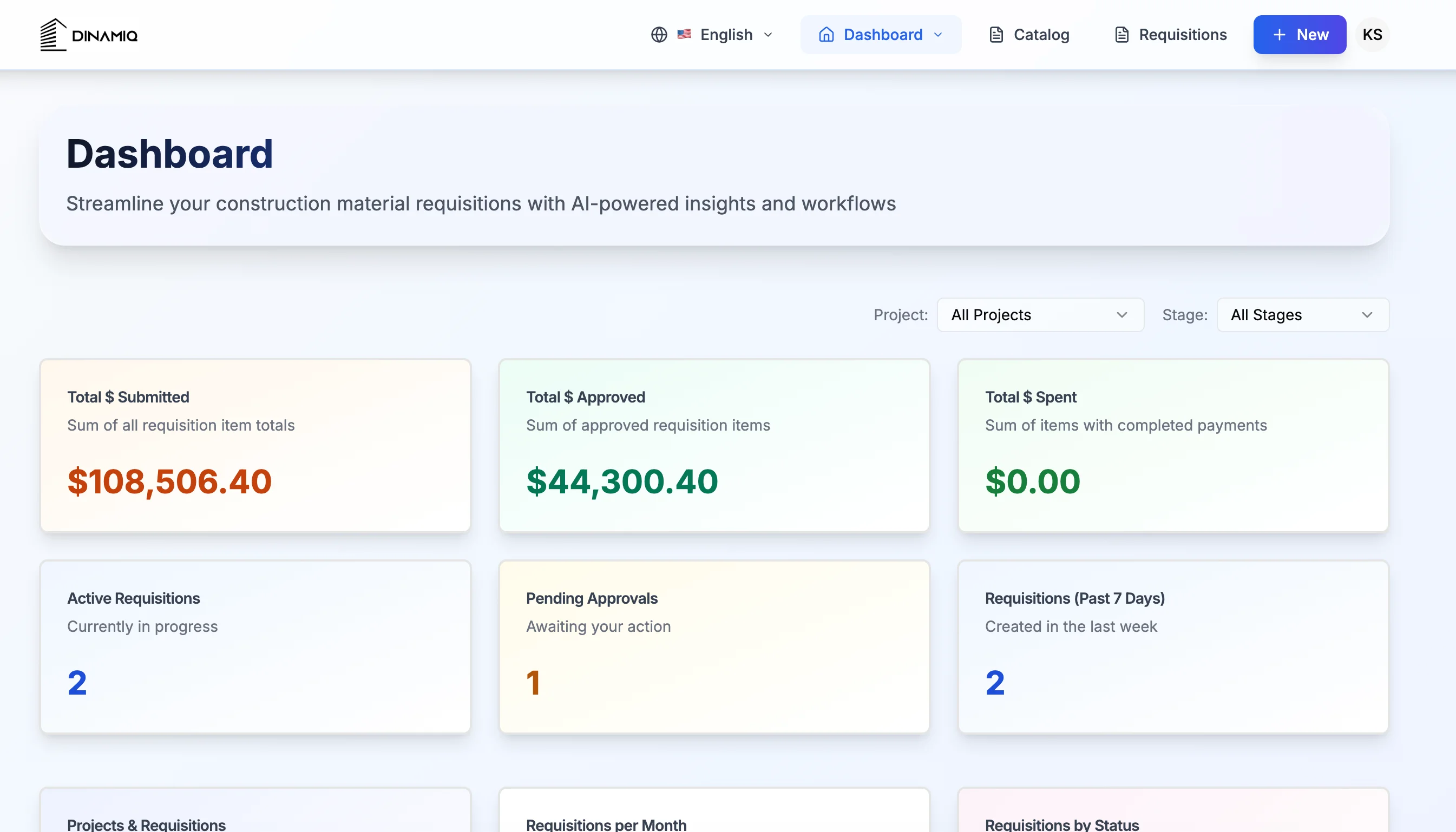
Real businesses, real results. Explore how companies implemented these concepts:
Key Takeaways
Quick wins and actionable insights from this guide:
- Post-meeting admin consumes 30-45 minutes per call—10 meetings weekly equals 260-390 hours/year
- AI transcription with summarization creates complete meeting records within 60 seconds of call end
- Automated CRM task creation from action items eliminates forgotten follow-ups and inconsistent data entry
- AI-drafted follow-up emails sent within 1 hour convert 3x better than next-day manual emails
- Privacy requires consent disclosure, secure storage, and clear policies on client vs internal calls
- Roll out in 4 weeks: pilot with 2-3 reps, refine workflows, then deploy team-wide
AI 101 Services Team
Business Automation Specialists
AI 101 Services helps service businesses implement AI automation solutions that deliver measurable ROI. With 21+ solutions delivered and 15+ clients served, we specialize in turning manual chaos into streamlined digital workflows.