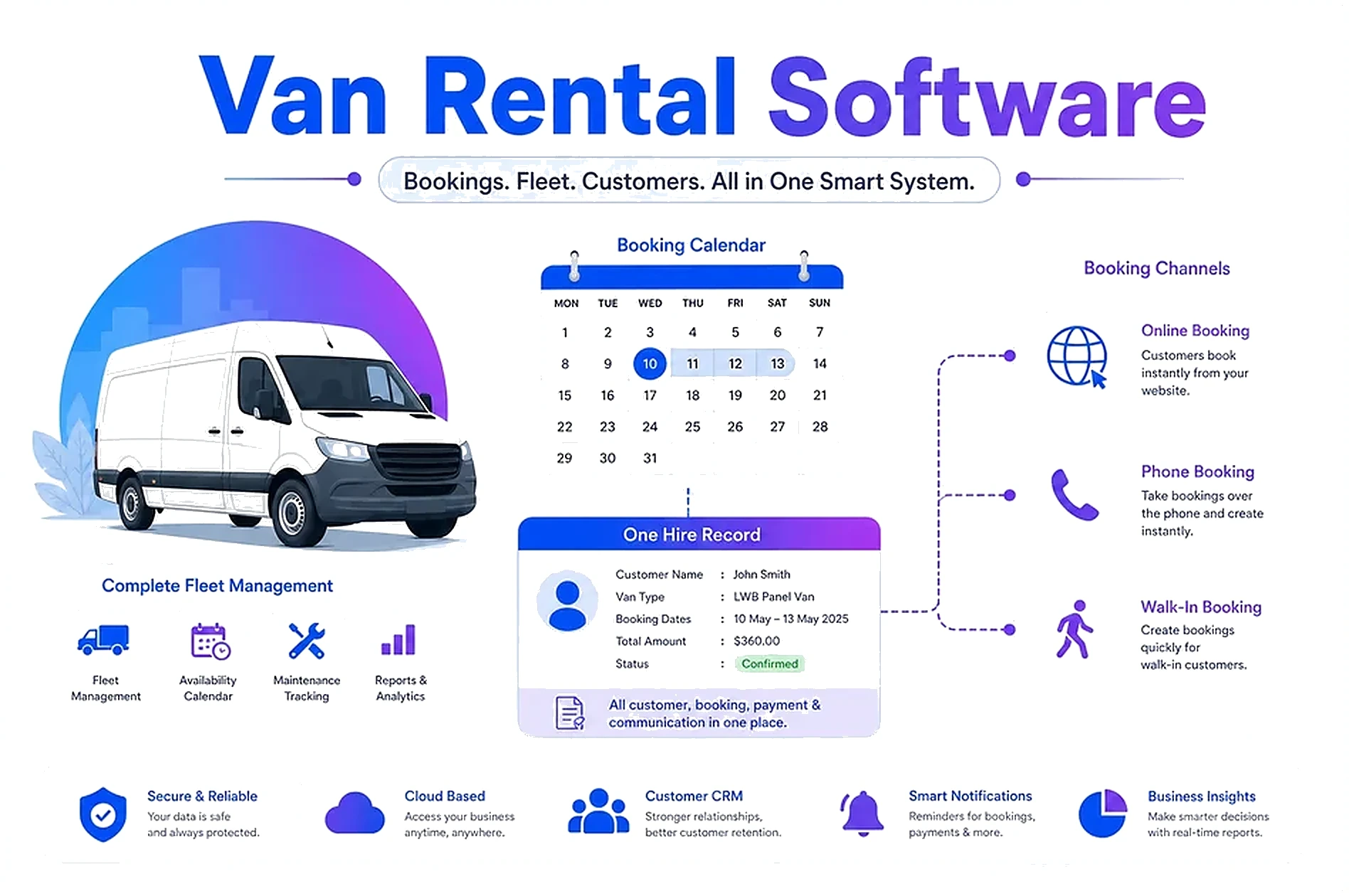
If you run van or truck hire, you already know the gap between a diary and a real system.
Online enquiries, phone bookings, and walk-ins all need the same truth: which vehicle is free, what deposit is held, which documents are signed, and whether the van came back clean. Spreadsheets and inboxes break as soon as two people try to book the same day.
We built a production van rental platform for a UK hire business so every hire has one record from enquiry to return—public booking for customers, staff CRM for the counter, Stripe payments and deposit holds, fleet status, and check-out inspections. This guide walks through what van rental software actually needs, and when custom software development beats bolting tools together.
🚐 Why Van Hire Needs More Than a Booking Widget
A calendar plug-in can take an online reservation. It cannot run the hire.
What breaks without a hire record:
- Double-bookings when phone and web share no live availability
- Deposits and damage disputes with no clear trail
- Incomplete documents at pickup
- No live view of utilisation or revenue as the fleet grows
A new UK van rental company faced exactly that risk: they needed digital infrastructure from day one—not a retrofit of phone diaries and paper. Managers needed live utilisation, revenue, and fleet performance as the business scaled.
Warning Sign: If your team answers "is that van free?" by checking a group chat or a whiteboard, you do not have booking software yet—you have a shared guess.
📅 Online, Phone, and Walk-In on the Same System
Customers expect to book without creating an account. Staff need a secure CRM for phone and walk-in hires. Both channels must update the same availability.
Public booking site:
- Dates, vehicle selection, and live availability
- Document collection and e-signed rental agreements
- Card payment and deposit hold in the same flow
Staff CRM:
- Create and amend hires for phone and counter bookings
- Payment links by email or QR at the desk
- Cash or card at the counter, refunds and price adjustments on the same hire
On the platform we shipped, customers book on the public site; staff run the business on the CRM. One hire record covers online reservations plus phone and walk-in bookings managed by staff.
That pattern is the core of serious van rental booking software—not three tools that almost sync.
🚛 Fleet CRM, Deposits, and Inspections
Booking is only half the job. Fleet status and the return check decide whether you make money or argue about scratches.
Fleet CRM should show:
- Availability, MOT, and hire status at a glance
- Which vehicle is on which hire
- Utilisation and channel insight across the fleet
Payments and deposits in-flow:
- Stripe for rental charges and card deposit holds
- Payment links and QR at the counter
- Refunds, damage deductions, and adjustments on the same hire
Check-out and return inspections:
- Capture condition at pickup and return
- Tie photos and notes to the hire record
- Clear trail when deposits are released or reduced
The Result? One hire record—from website click (or phone call) to clean return—instead of a booking in one place, a deposit in another, and inspection photos in someone's camera roll.
🧩 Off-the-Shelf vs Custom Van Rental Software
Generic rental tools can work if your process matches their template. Most hire businesses do not.
Off-the-shelf fits when:
- You rent one simple product line with standard contracts
- You only take online bookings
- You can live with their deposit and inspection model
Custom fits when:
- Online, phone, and walk-in must share one fleet
- Deposits, damage, and price adjustments need to live on the hire
- You want staff CRM and public booking on dual hosts with your branding
- You plan to add truck or equipment hire on the same pattern later
We design booking and rental systems as part of custom software development: online reservations, phone and walk-in hires, fleet and inspections—built around how the counter already works.
Warning Sign: If you are paying for modules you never open, or bending your deposit rules to fit the software, the tool is running the business—not the other way around.
🚀 What a First Live Hire System Usually Includes
You do not need every future feature on day one. You need a first live system the team can run every day.
Typical first version:
- Public booking wizard with dates and vehicle selection
- Staff CRM for phone and walk-in
- Stripe payments and deposit holds
- Fleet overview and hire status
- Check-out / return inspections tied to the hire
- Basic ops dashboard for today's pickups and returns
What can wait:
- Advanced yield pricing
- Multi-depot complexity you do not have yet
- AI add-ons before the hire record is clean
Most custom builds we ship go from idea to a live system in about 3 weeks, including deployment and training. The van rental platform followed that scope-and-ship approach: map how hires work today, build the platform around those workflows, then launch with one record from enquiry to return.
The Result? Staff stop inventing workarounds. Customers get a clear booking path. You get a fleet CRM you can trust when the phone rings.
💡 See These Strategies in Action
Real businesses, real results. Explore how companies implemented these concepts:

Key Takeaways
Quick wins and actionable insights from this guide:
- Van hire needs one hire record across online, phone, and walk-in—not a booking widget alone
- Fleet status, Stripe deposits, and inspections belong on the same hire as the reservation
- Off-the-shelf tools fit simple templates; custom fits dual-channel hire with your deposit and inspection rules
- A first live system usually includes public booking, staff CRM, payments, fleet, and inspections
- Most custom builds go live in about 3 weeks when scope stays tied to how the counter already works
- See the van rental platform case study for a full hire flow from enquiry to return
Karandeep Singh
Co-Founder
Karandeep leads strategy and customer success at AI 101 Services. After fifteen years at Deloitte and Accenture, he helps growing businesses decide what to build—and ship custom platforms, CRMs, and automation that fit how teams actually work.
More about Karandeep