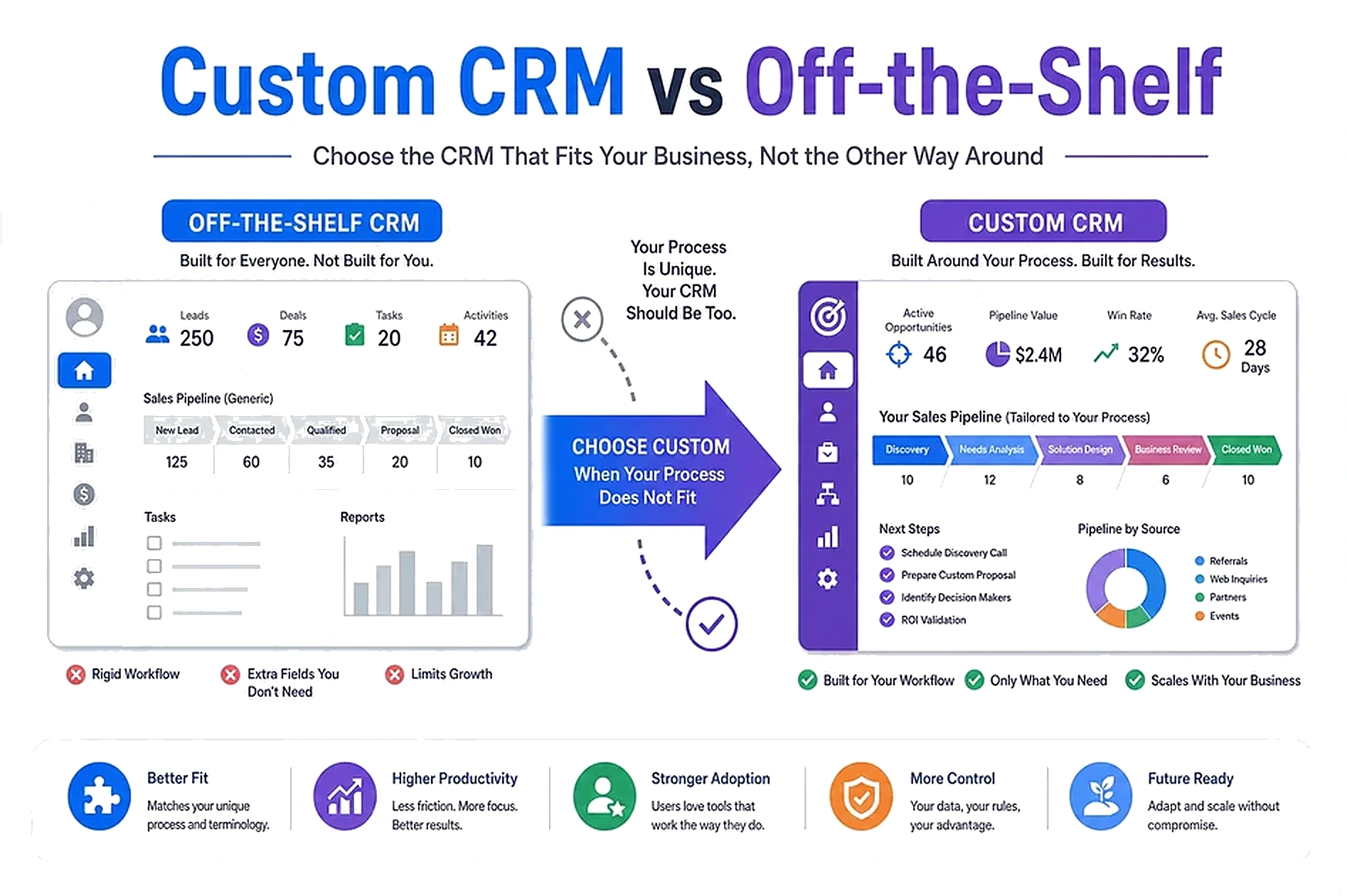
Most teams do not fail at CRM because they chose the wrong logo. They fail because the tool forces a process they do not run.
Off-the-shelf CRMs are excellent when your sales stages, objects, and reports already match the product. They get expensive and fragile when you bend every workflow to fit someone else's model—or pay for seats and modules you never use.
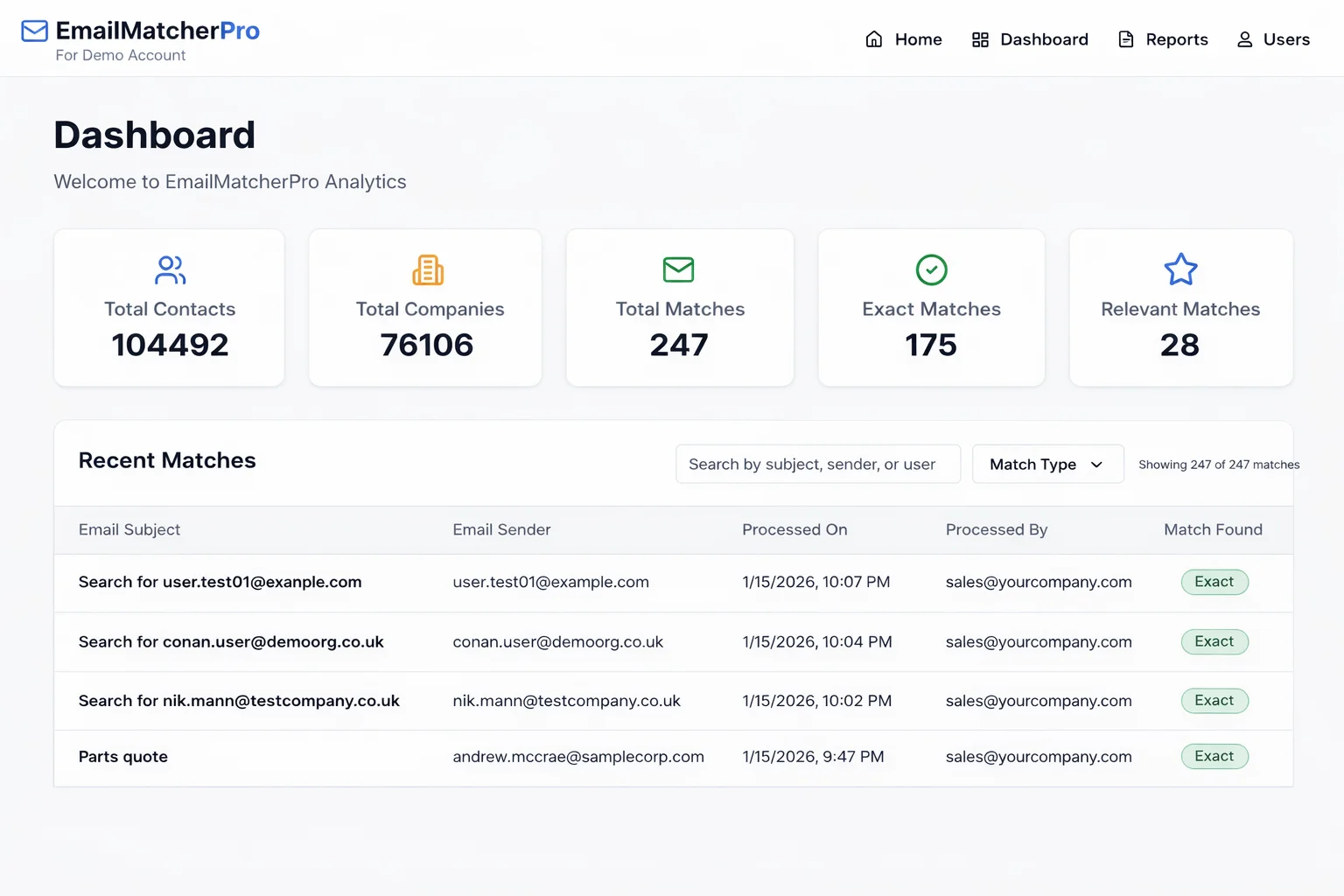
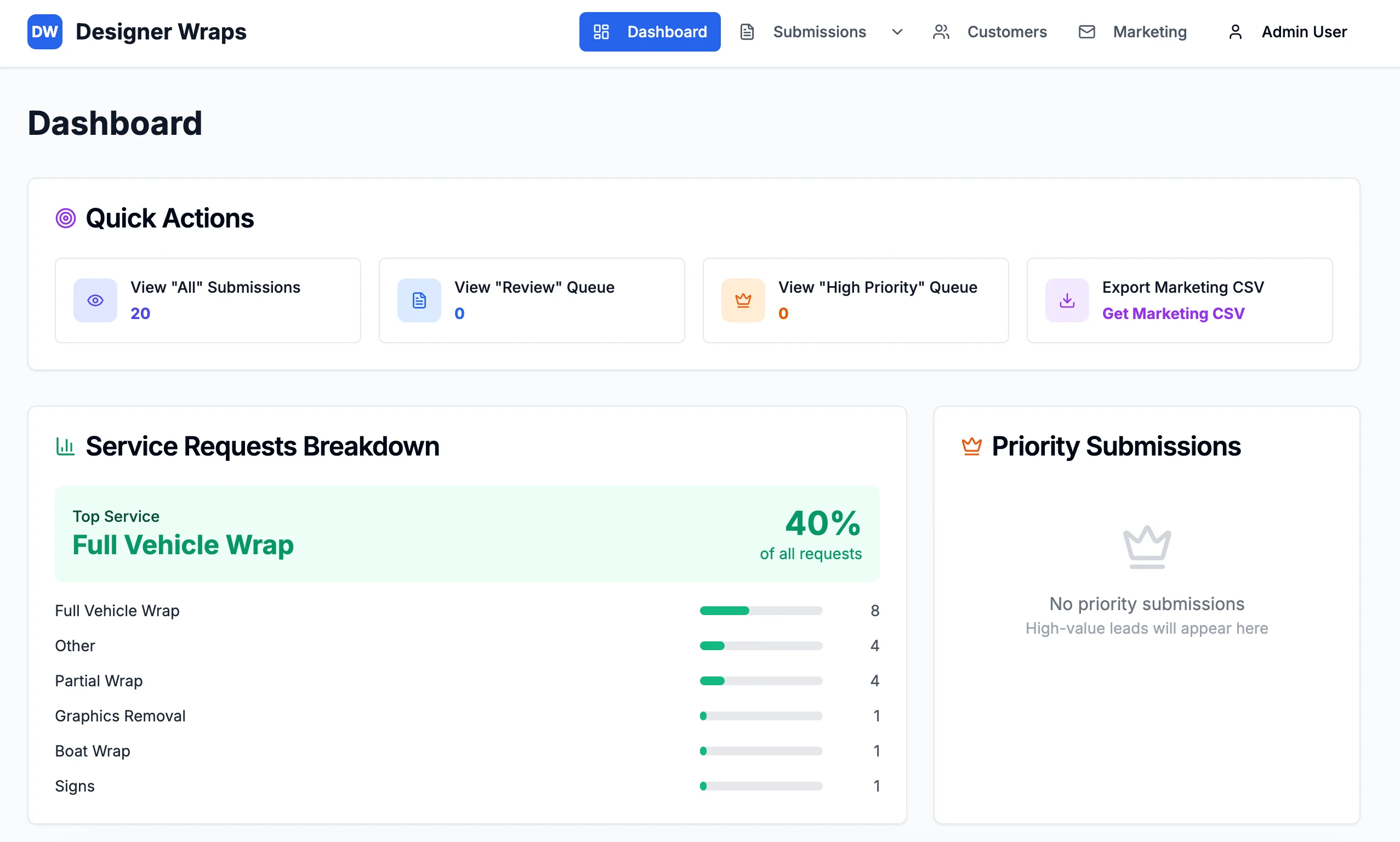
Most of our projects are custom platforms and CRMs: dashboards, matching, pipelines, and tracking built around how a team already works. An engineering firm cut inquiry handling by 95% with custom contact matching across 200K+ records. Designer Wraps cut lead processing time by 87% with a purpose-built intake pipeline. This guide helps you decide when custom CRM development is the clearer path.
📦 What Off-the-Shelf CRMs Do Well
Buy a mature CRM when the fit is real.
Strong fit when:
- Your pipeline stages match standard lead → opportunity → closed won
- You need a large app marketplace and IT already administers the platform
- Multiple departments share the same object model without heavy custom objects
- You can accept their reporting model with light configuration
Strengths:
- Fast start for generic sales teams
- Training materials and consultants everywhere
- Integrations that already exist for common tools
The catch: configuration is not free. Heavy custom objects, brittle automations, and seat sprawl often cost more than a focused custom build—and still leave your team living in workarounds.
Warning Sign: If your "CRM project" is mostly fighting the CRM, you may be solving the wrong problem.
🛠️ When a Custom CRM Wins
Custom wins when the work is the product—not a generic sales funnel.
Build when you need:
- Contact matching and verification across large, messy databases
- Speed-to-lead intake designed for your forms and channels
- Stage-based workflows that match how you already deliver (not how a template sells)
- Dashboards your ops team can run every day without a Salesforce admin on call
Engineering firm example: Staff spent 15–20 minutes verifying contacts before responding. A custom CRM data matching and email verification system made response effectively instantaneous—a 95% time saving across 200K+ contacts and 100,000+ companies.
Designer Wraps example: Manual email searching slowed lead handling. A custom lead management system with speed-to-lead pipeline automation delivered 87% faster processing and 32% higher conversion.
Those are not "CRM settings." They are systems shaped around the work.
See custom software development for how we scope CRMs and pipelines alongside platforms and portals.
⚖️ Build vs Buy Decision Checklist
Use this checklist before you renew seats or open a custom build.
Lean buy if:
- You can map your stages to the vendor's objects in a day
- Your team will use the out-of-the-box mobile app and reports
- Integrations you need are certified and already working
Lean build if:
- Matching, scoring, or intake rules are unique to your industry
- Spreadsheets and email still own the real workflow after "CRM go-live"
- You pay for features nobody uses, and still lack the one screen the team needs
- Response time depends on hunting records, not on talking to customers
Hybrid is fine: Keep accounting or email where it works. Build the operational CRM that owns lead intake, matching, and delivery stages. We regularly connect to existing contact databases, CSVs, and tools—you do not have to rip everything out.
Warning Sign: If your CRM admin calendar is full and your sales calendar is still empty of clean next steps, configuration is not paying for itself.
📈 What Custom CRM Outcomes Look Like
Custom CRM work should show up in minutes and conversion—not in a longer settings menu.
Documented outcomes from our builds:
- Engineering CRM: 95% faster inquiries, under 1 minute average response after matching
- Designer Wraps: 87% faster lead processing, +32% conversion
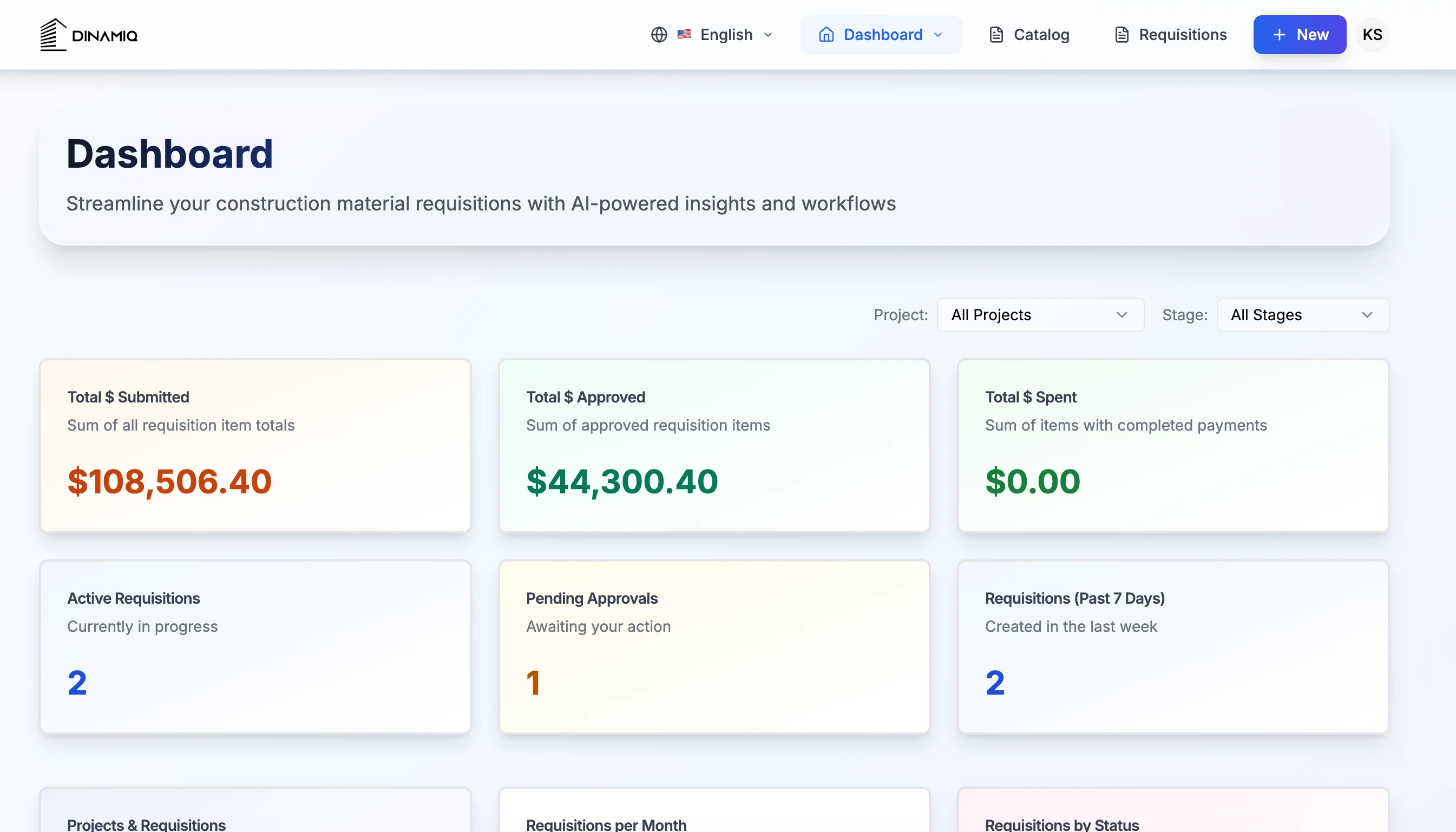
- Dinamiq procurement platform: 98% data accuracy with validation and a single source of truth
What we design for:
- Contact matching
- Pipelines and stages
- Speed-to-lead
What we do not promise: A magic score that replaces your team's judgment. The CRM should remove hunting and re-keying so people can sell and deliver.
Read the engineering CRM case study and Designer Wraps case study for the full workflows.
🚀 How a Custom CRM Project Usually Starts
Scope before build. You get a clear outline of the system and estimate before development starts.
Typical path:
- Map how the team sells and delivers today—what must stay
- Define the first live system: intake, matching, stages, dashboards
- Connect existing data (CSVs, contact databases, tools you keep)
- Ship, train, and hand off—most custom builds go live in about 3 weeks
AI agents and automation come after the record is trustworthy. A dirty CRM with an agent on top just automates the mess.
If you are comparing custom CRM development to another year of configuration, start with a scoping call on our custom software page and bring your current pipeline pain—not a feature wishlist.
💡 See These Strategies in Action
Real businesses, real results. Explore how companies implemented these concepts:
Key Takeaways
Quick wins and actionable insights from this guide:
- Off-the-shelf CRMs win when your process already matches their objects and reports
- Custom CRM wins for matching, speed-to-lead, and delivery pipelines that templates do not cover
- An engineering firm saved 95% of inquiry verification time across 200K+ contacts
- Designer Wraps cut lead processing 87% and lifted conversion 32% with a custom intake CRM
- You can keep existing tools and still build the operational CRM your team runs daily
- Scope first: most custom builds go live in about 3 weeks with training included
Karandeep Singh
Co-Founder
Karandeep leads strategy and customer success at AI 101 Services. After fifteen years at Deloitte and Accenture, he helps growing businesses decide what to build—and ship custom platforms, CRMs, and automation that fit how teams actually work.
More about Karandeep