"Where's the process for handling refund requests?"
Someone asks in Slack. Three people tag conflicting Google Docs. A fourth says "I think Sarah knows." Twenty minutes later, you have an answer—maybe.
Internal knowledge lives scattered across Notion pages, shared drives, Slack threads, and people's heads. New hires take weeks to find basic answers. Experienced staff waste 2-3 hours weekly searching for information they know exists somewhere.
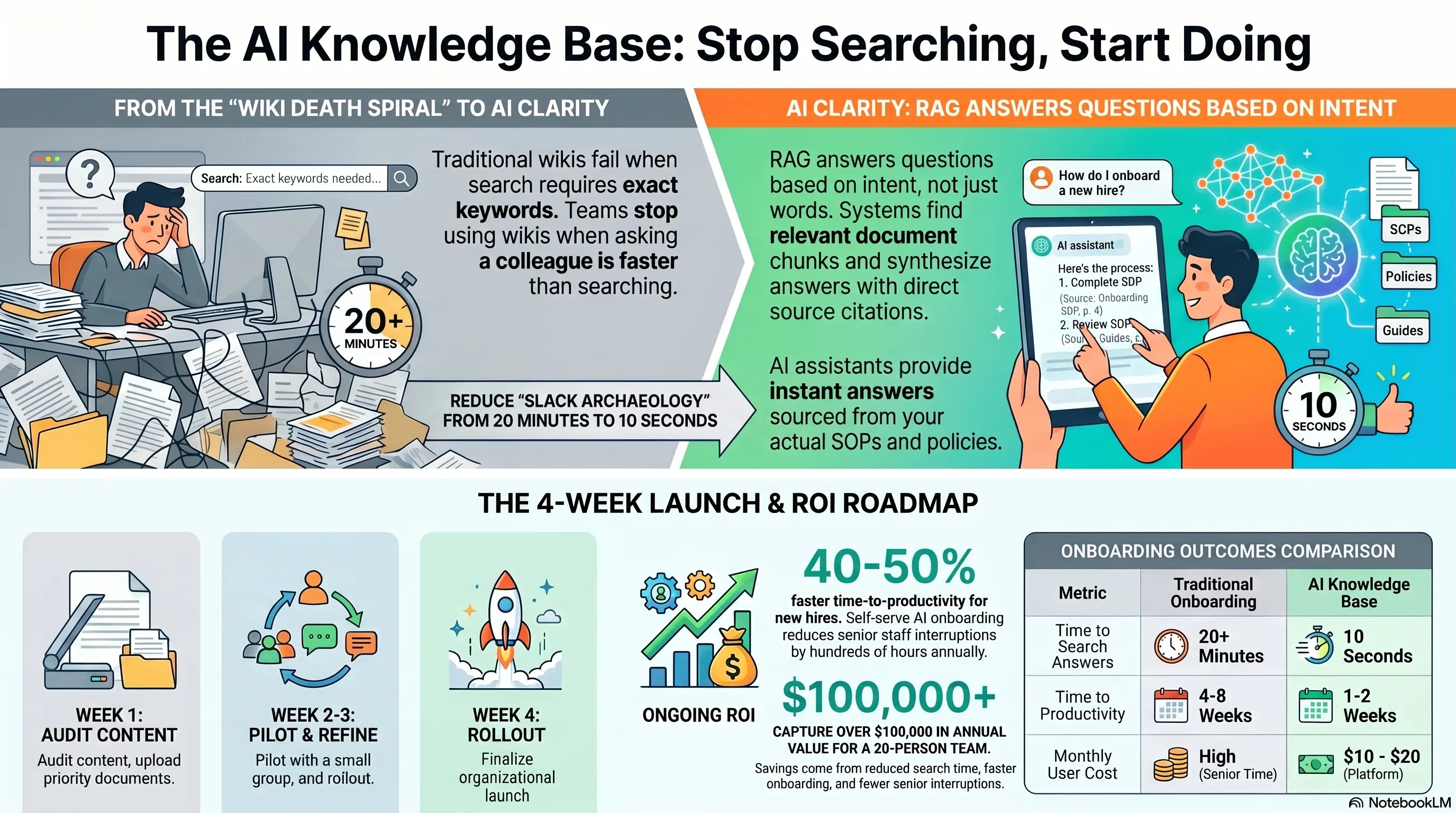
An AI knowledge base with RAG (Retrieval-Augmented Generation) changes this: team members ask questions in plain English and get answers sourced from your actual SOPs, policies, and onboarding docs—with links to the original documents.
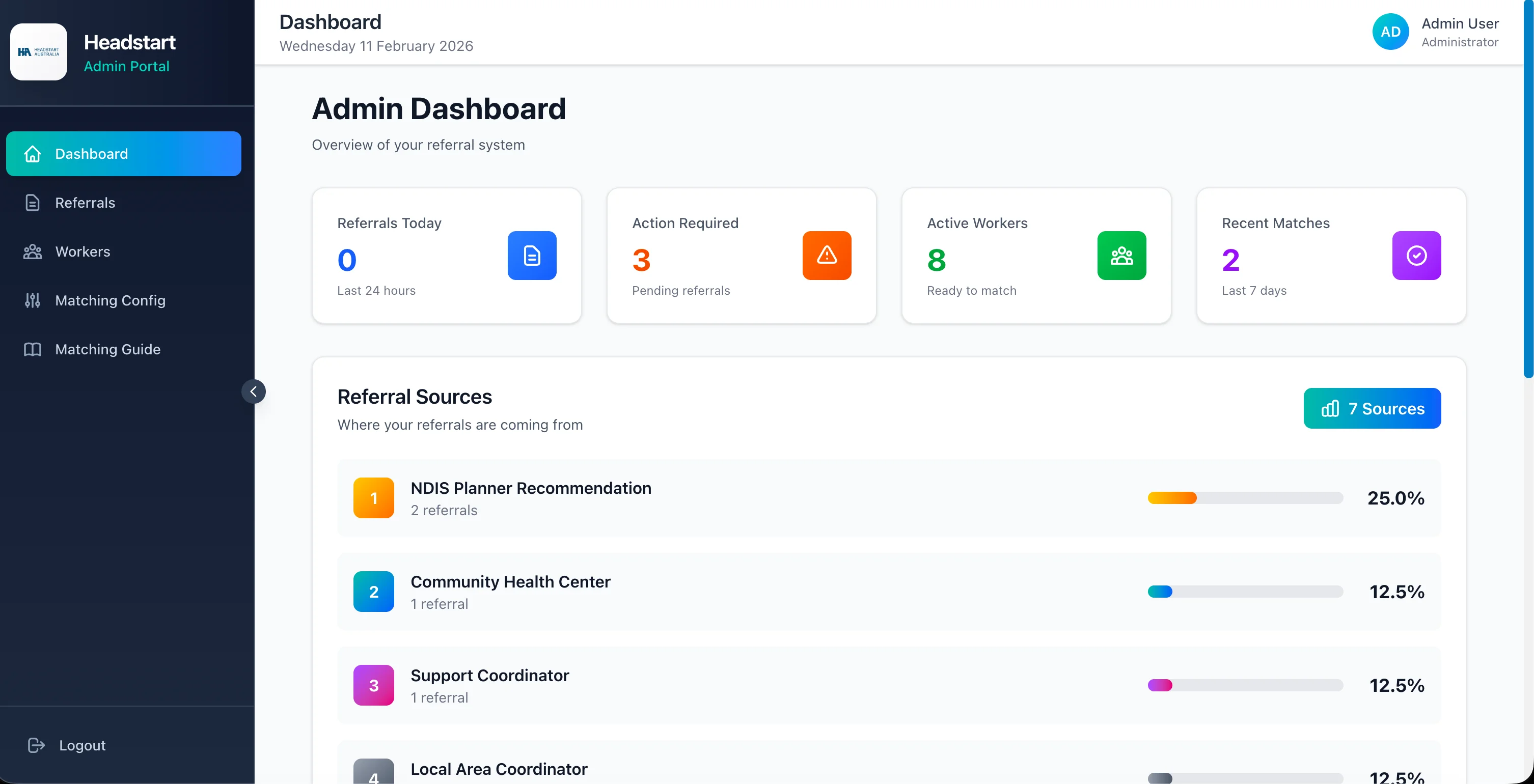
HeadStart Australia built structured knowledge into their platform from day one. This guide shows any service business how to build an internal AI wiki your team will actually use.
📚 Why Traditional Wikis Fail (And Teams Stop Using Them)
Most internal wikis follow the same death spiral.
The Wiki Lifecycle:
- Leadership launches wiki with enthusiasm
- Initial content uploaded (outdated within months)
- Team can't find answers (poor search, wrong keywords)
- People ask colleagues instead (faster than searching)
- Wiki becomes stale, nobody updates it
- New hires never know it exists
Why Search Fails: Traditional search requires knowing exact terms. Your SOP says "client escalation protocol" but someone searches "angry customer process"—zero results.
Why Updates Stop: Updating wiki pages is extra work with no immediate reward. Processes change in practice but docs lag months behind.
The Cost:
- New hire time-to-productivity: 4-8 weeks instead of 1-2 weeks
- Senior staff interruptions: 3-5 "quick questions" daily
- Inconsistent process execution when people follow different versions
Warning Sign: If your team asks colleagues before checking the wiki, the wiki has already failed.
🧠 RAG Explained: AI That Answers From Your Documents
RAG (Retrieval-Augmented Generation) makes AI answer from your content—not generic internet knowledge.
How RAG Works:
- Ingest: Your documents (SOPs, policies, onboarding guides, FAQs) are uploaded and chunked into searchable segments
- Embed: Each chunk converted to vector embeddings (mathematical representations of meaning)
- Query: Team member asks: "What's our refund policy for cancelled projects?"
- Retrieve: System finds most relevant document chunks based on meaning—not keyword matching
- Generate: AI composes answer using retrieved chunks, citing source documents
Why RAG Beats Standard Search:
- Understands intent: "angry customer" finds "escalation protocol"
- Synthesizes across documents: pulls refund policy + cancellation terms + approval workflow into one answer
- Always cites sources: team can verify against original doc
What to Include in Your Knowledge Base:
- Standard Operating Procedures (SOPs)
- Onboarding and training materials
- Policy documents (HR, compliance, client management)
- FAQ compilations
- Process flowcharts and decision trees
- Product/service specifications
HeadStart Parallel: Their platform embeds matching rules, compliance requirements, and workflow logic into the system itself—staff don't search docs because the system enforces correct process. RAG achieves similar results for businesses running on document-based knowledge.
The Result? Questions that took 20 minutes of Slack archaeology get answered in 10 seconds with source links.
📝 Building Content Your Team Will Trust
AI knowledge bases fail when underlying content is wrong, outdated, or missing.
Content Quality Rules:
One source of truth per topic: Delete duplicate docs. If three versions of the onboarding guide exist, consolidate into one before uploading.
Action-oriented writing: "When a client requests a refund, follow these steps:" beats "Refunds are handled according to company policy section 4.2."
Include decision trees: "If amount under $500 → manager approval. If over $500 → director approval." AI handles conditional logic well when docs include it.
Date and owner every document: Metadata helps team trust freshness: "Last updated March 2026 by Operations Team."
Start With High-Query Topics: Survey team: "What do you ask colleagues most often?" Top 10 answers become priority content.
Typical Priority Documents:
- New employee onboarding checklist
- Client communication templates and policies
- Pricing and quoting guidelines
- Escalation and complaint handling
- Tool/system how-to guides
- Compliance and regulatory requirements
Warning Sign: Don't upload everything at once. Start with 20-30 core documents covering 80% of common questions.
👥 Onboarding: Where Knowledge Bases Deliver Fastest ROI
New hires are the highest-intent knowledge base users—and the best measure of its value.
Traditional Onboarding:
- Week 1: Shadow colleagues, ask endless questions
- Week 2-3: Slowly discover where docs live
- Week 4+: Still asking "how do we handle X?"
- Productivity: 50-60% by month 2
Knowledge Base Onboarding:
- Day 1: Access AI assistant + structured onboarding doc set
- Day 1-3: Self-serve answers to process questions
- Week 1: Complete guided onboarding checklist with AI support
- Week 2: Productivity at 70-80% with fewer interruptions to senior staff
Onboarding Sequence:
- Upload onboarding checklist as primary document set
- New hire asks AI questions as they progress through checklist
- AI answers from your actual SOPs—not generic advice
- Manager reviews completion, not individual questions
Senior Staff Relief: Every question a new hire asks AI is one they don't ask a senior team member. On 3 new hires/year, that's 200-400 fewer interruptions annually.
The Result? Businesses report new hire time-to-productivity improving by 40-50% with AI knowledge base support.
💰 ROI and Platform Options
Platform Options:
All-in-One (Easiest):
- Notion AI, Guru, Slite with built-in AI search
- Cost: $10-20/user/month
- Best for: Teams already using these platforms
RAG-Specific Tools:
- CustomGPT, Dust, or similar RAG platforms
- Cost: $50-500/month based on documents and queries
- Best for: Dedicated knowledge base with advanced RAG
Custom Build:
- Open-source RAG (LangChain, LlamaIndex) on your infrastructure
- Cost: $5,000-15,000 setup + hosting
- Best for: Sensitive data, deep integration needs, 50+ employees
ROI Calculation (20-person team):
Time saved searching: 2 hrs/week/person × 20 × $35/hr × 52 = $72,800/year
Faster onboarding: 2 weeks saved × 3 hires × $3,500/week loaded cost = $21,000/year
Reduced senior interruptions: 30 min/day × $50/hr × 260 days = $6,500/year per senior staff member
Total annual value: $100,000+ for active teams
Payback period: 1-3 months on all-in-one platforms
Warning Sign: Measure usage weekly in the first month. If adoption is below 50% of team, investigate content gaps or UX friction.
🚀 4-Week Knowledge Base Launch
Week 1: Content Audit & Priority - Survey team on top 20 most-asked questions - Gather existing docs from all locations (Drive, Notion, Slack, email) - Consolidate duplicates, update outdated content - Assign document owners for ongoing maintenance
Week 2: Upload & Configure - Upload priority documents to knowledge base platform - Configure access permissions (role-based if needed) - Test 30 common questions—verify answer accuracy - Fix content gaps where AI gives wrong or incomplete answers
Week 3: Team Pilot - Launch with pilot group (5-8 team members) - Include new hires if available (best test case) - Collect feedback: wrong answers, missing topics, UX issues - Refine content based on failed queries
Week 4: Full Rollout - Deploy to entire team with 15-minute training - Integrate into onboarding workflow for new hires - Set monthly content review cadence (30 minutes) - Track: queries per week, answer satisfaction, time saved
Maintenance Rule: When any process changes, update the doc within 48 hours. Stale content erodes trust faster than no knowledge base at all.
The Result? Teams typically reach 70%+ weekly active usage within 60 days when content covers their actual daily questions.
💡 See These Strategies in Action
Real businesses, real results. Explore how companies implemented these concepts:
Key Takeaways
Quick wins and actionable insights from this guide:
- Traditional wikis fail because search requires exact keywords and content goes stale without maintenance
- RAG-powered knowledge bases answer from your SOPs using natural language with source citations
- Start with 20-30 core documents covering 80% of common questions—onboarding docs first
- New hire onboarding delivers fastest ROI: 40-50% faster time-to-productivity with AI knowledge support
- Platform options range from $10/user/month (Notion AI) to custom builds at $5,000-15,000
- Launch in 4 weeks: audit content, upload priority docs, pilot with 5-8 users, then full rollout
AI 101 Services Team
Business Automation Specialists
AI 101 Services helps service businesses implement AI automation solutions that deliver measurable ROI. With 21+ solutions delivered and 15+ clients served, we specialize in turning manual chaos into streamlined digital workflows.