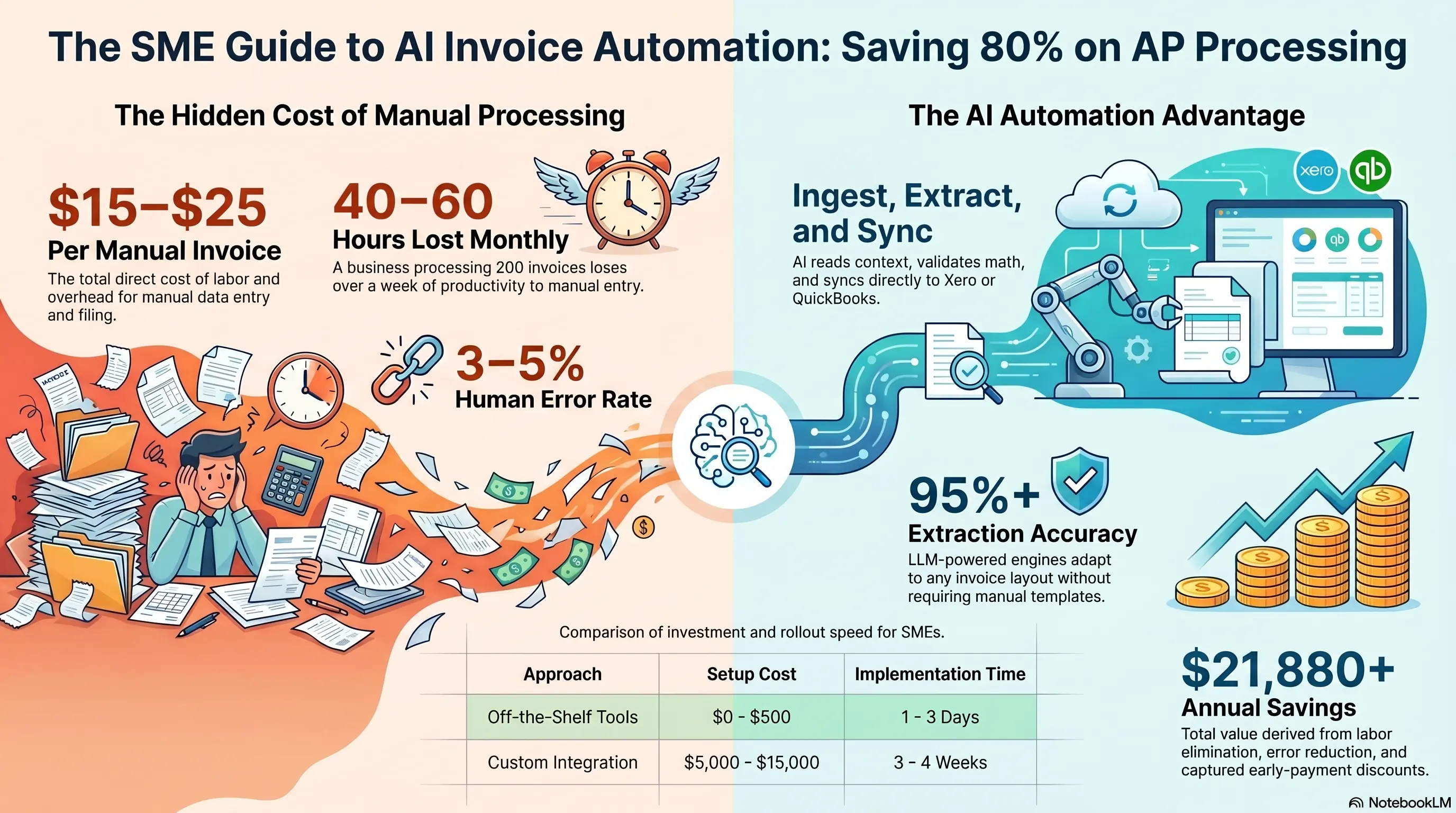
Every month, invoices arrive by email, post, and photo. Someone opens each PDF, reads the vendor name, types the amount into a spreadsheet, checks the math, and manually enters it into Xero or QuickBooks.
For a business processing 150-300 invoices monthly, that's 40-60 hours of pure data entry—and an error rate of 3-5% that creates reconciliation nightmares at month-end.
In 2026, AI document processing has moved far beyond basic OCR. Modern systems read invoices like a human would—extracting vendor, line items, tax, and totals with 95%+ accuracy—then sync directly to your accounting software. No templates. No retraining. No copy-paste.
This guide shows service business owners how to automate accounts payable and document processing, with realistic costs, ROI timelines, and a practical rollout plan.
💸 The Real Cost of Manual Invoice Processing
Manual AP processing costs more than most owners realize because the work is spread across multiple people and never tracked as a single line item.
Industry benchmarks:
- $15-25 per invoice in direct processing cost (labor + overhead)
- 5-15 minutes per invoice for data entry, verification, and filing
- 3-5% error rate requiring rework, payment delays, or vendor disputes
- $28,500/year average labor cost for a data-entry-heavy employee
For a business processing 200 invoices/month:
- Direct cost: $36,000-60,000/year
- Error rework: $2,000-5,000/year
- Delayed payment penalties and lost early-pay discounts: $1,000-3,000/year
The Hidden Cost: Month-end close takes 3-5 extra days because invoices sit in inboxes waiting to be entered. Your accountant chases missing documents. Cash flow visibility is always two weeks behind reality.
Warning Sign: If your bookkeeper says "I'll catch up on data entry this weekend," you have an automation opportunity worth thousands annually.
🤖 How Modern AI Document Processing Works
2026 AI document systems are fundamentally different from the template-based OCR of 2020.
The Processing Pipeline:
- Ingestion — Upload PDF, forward email, snap photo, or drag-and-drop batch upload
- Intelligent Extraction — LLM-powered engine reads the document contextually: vendor name (even with logos instead of text), invoice number, dates, line items, tax codes, currency, and totals
- Validation — System checks math (do line items sum to total?), flags duplicates, validates tax calculations, and scores confidence per field
- Exception Routing — Low-confidence fields flagged for human review only—not the entire document
- Accounting Sync — Approved data pushes to Xero, QuickBooks, or MYOB with one click
- Archive & Search — Every document stored, searchable, and linked to accounting records
Key Difference from Old OCR: Template OCR breaks when a new vendor sends a different invoice format. LLM extraction adapts to any layout without configuration—critical for service businesses with dozens of suppliers.
The Result? Processing time drops from 5-15 minutes per invoice to under 2 minutes with human review only on flagged exceptions.
📋 What Documents Beyond Invoices Can You Automate?
Invoice processing is the highest-ROI starting point, but the same technology handles your entire document backlog.
High-Value Document Types:
Supplier Invoices & Bills — Primary use case. Highest volume, most repetitive.
Expense Receipts — Staff photo receipts from field work. Auto-categorize and sync to expense accounts.
Purchase Orders — Match incoming invoices against POs automatically (3-way matching).
Delivery Dockets & Timesheets — Extract quantities, hours, and job references for project costing.
Contract Renewals — Flag expiry dates, extract key terms, alert before auto-renewal deadlines.
Bank Statements — Reconcile transactions against recorded invoices and expenses.
The Workflow Vision: Every document that currently requires someone to read it and type data somewhere becomes an automated pipeline: receive → extract → validate → sync → archive.
Warning Sign: If you're only automating invoices but still manually processing receipts, timesheets, and delivery notes separately, you're solving half the problem.
⚖️ Build vs Buy: Choosing the Right Approach
Off-the-Shelf Tools (Best for Most SMEs):
Platforms like dedicated invoice capture tools offer:
- Live in under 5 minutes with Xero/QuickBooks connection
- Per-document pricing ($0.10-0.50/document or flat monthly plans from $29-200/month)
- 95%+ accuracy out of the box
- No development required
Best when: Standard invoice formats, under 500 documents/month, using Xero or QuickBooks.
Custom Integration (Best for Complex Operations):
Custom-built document processing when you need:
- Integration with proprietary job management or ERP systems
- Multi-entity processing with complex approval chains
- Industry-specific document types (NDIS service logs, construction progress claims)
- Automated PO matching against your existing procurement workflow
Best when: Unique document types, high volume (500+/month), or deep integration with custom business systems.
The Decision Shortcut:
- Under 300 invoices/month + standard accounting software → Buy
- Custom ERP + complex approval workflows + industry-specific docs → Build
- Currently paying a bookkeeper $2,000+/month for data entry → Either option pays for itself immediately
The Result? Most service businesses should start with an off-the-shelf tool, prove ROI in 30 days, then evaluate custom integration only if gaps remain.
💰 ROI Calculation: When Document Automation Pays Off
Investment (Off-the-Shelf):
- Setup and accounting integration: $0-500 (most platforms are self-serve)
- Monthly platform cost: $29-200/month depending on volume
- Timeline: 1-3 days to full operation
Investment (Custom Build):
- Development and integration: $5,000-15,000
- Timeline: 3-4 weeks
Annual Savings (200 invoices/month):
Labor eliminated: 40 hrs/month × $35/hr × 12 = $16,800/year
Error reduction: 3% error rate × 200 invoices × $15 rework × 12 = $1,080/year
Faster month-end close: 3 days earlier visibility = better cash flow decisions (hard to quantify but consistently cited as top benefit)
Early payment discounts captured: 2% discount on $200K annual supplier spend = $4,000/year
Total annual value: $21,880+
Payback period: Off-the-shelf tools pay for themselves in the first month. Custom builds in 3-6 months.
Warning Sign: Don't calculate ROI on invoice processing alone—factor in receipts, timesheets, and every document your team currently types manually.
🚀 30-Day Document Automation Rollout
Week 1: Audit & Select - Count every document type processed manually monthly - Time how long each takes (you'll underestimate—track for 3 days) - Choose platform based on volume, accounting software, and budget - Connect to Xero/QuickBooks in a test environment
Week 2: Pilot - Process 50 real invoices through the system - Compare AI extraction against manual entry for accuracy - Identify which vendors/formats need attention - Train one team member as the document automation owner
Week 3: Workflow Design - Define approval rules (auto-approve under $500, review above) - Set up exception handling process - Configure duplicate detection and vendor matching - Connect email forwarding for automatic ingestion
Week 4: Full Launch - Route all new invoices through the automated pipeline - Keep manual process as backup for one week - Measure: processing time, error rate, month-end close speed - Expand to receipts and other document types
The Result? Most SMEs processing 100+ documents monthly cut AP processing time by 70-87% within 30 days—the highest ROI automation investment outside of lead capture.
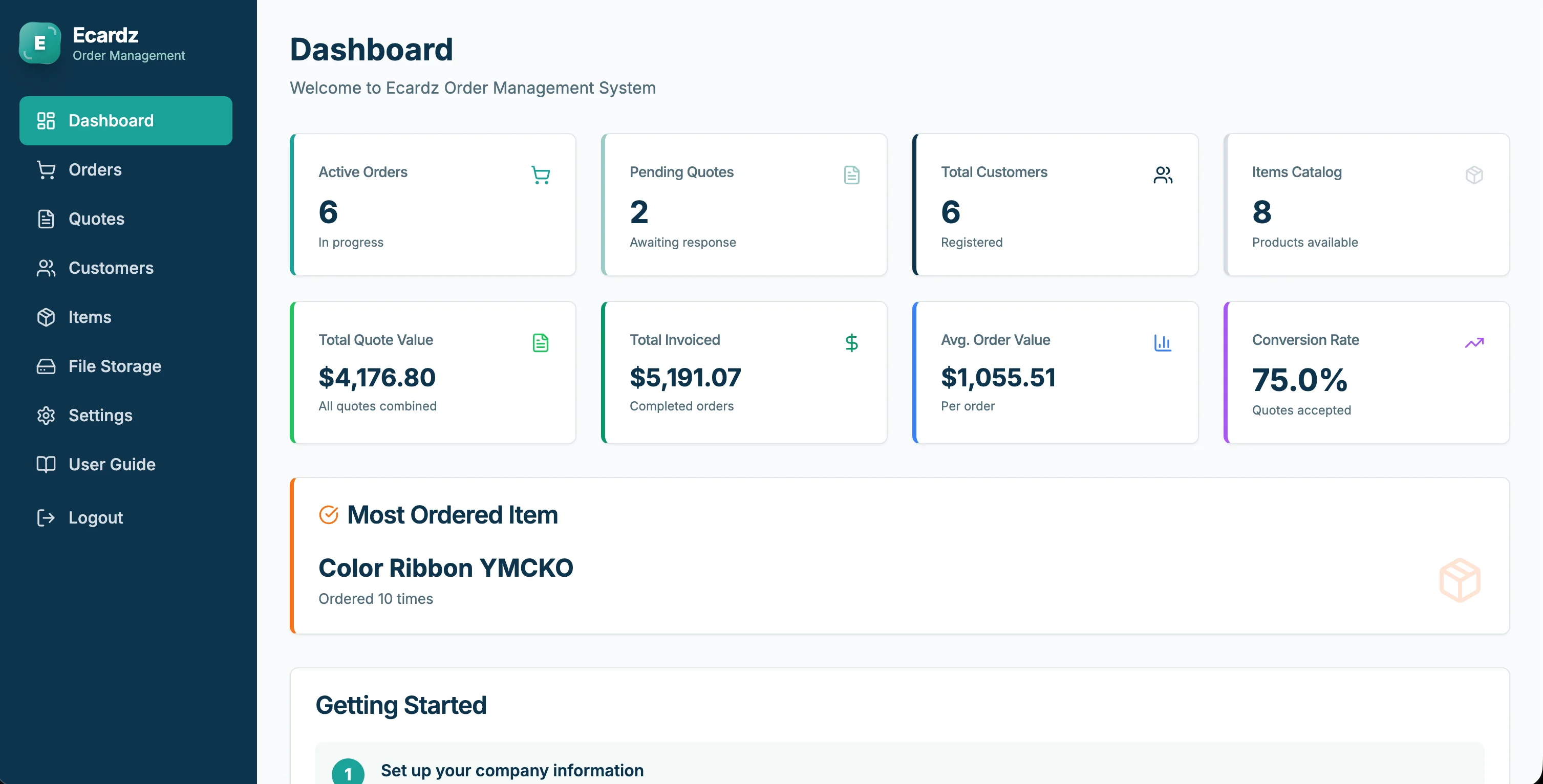
💡 See These Strategies in Action
Real businesses, real results. Explore how companies implemented these concepts:
Key Takeaways
Quick wins and actionable insights from this guide:
- Manual invoice processing costs $15-25 per invoice—200/month equals $36,000-60,000/year in direct labor
- Modern LLM extraction adapts to any invoice format without templates—95%+ accuracy out of the box
- Off-the-shelf tools connect to Xero/QuickBooks in minutes; custom builds suit complex ERP integrations
- Automate invoices first, then expand to receipts, POs, timesheets, and delivery dockets
- Off-the-shelf document automation typically pays for itself in the first month
- Track all document types manually processed—not just invoices—to capture full ROI
AI 101 Services Team
Business Automation Specialists
AI 101 Services helps service businesses implement AI automation solutions that deliver measurable ROI. With 21+ solutions delivered and 15+ clients served, we specialize in turning manual chaos into streamlined digital workflows.