Every week, a service business owner tells us about the automation tool they bought, configured for a weekend, and never used again.
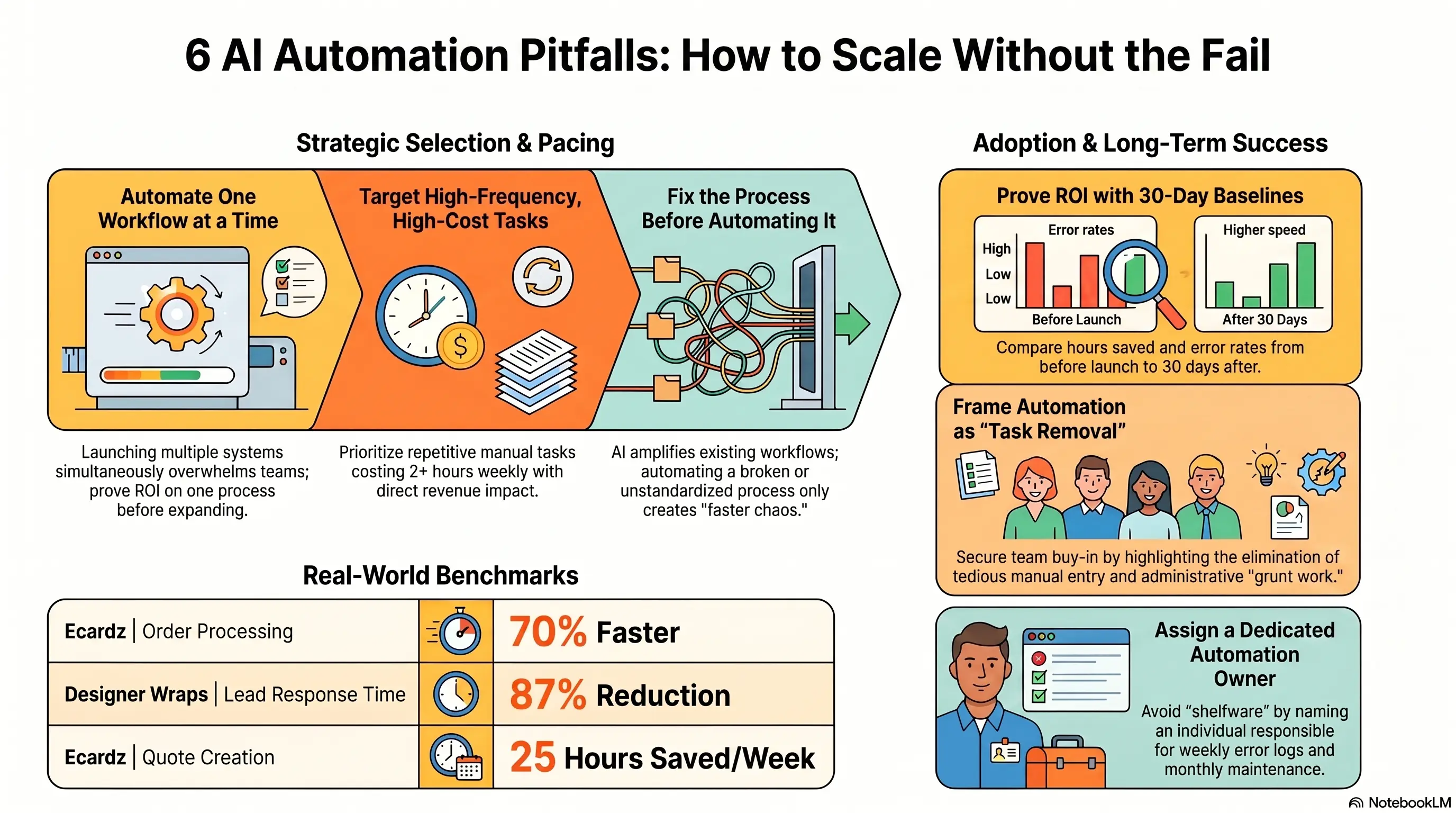
It's not that automation doesn't work. Ecardz achieved 70% faster order processing. Designer Wraps cut lead response time by 87%. The pattern is clear when automation succeeds—and equally clear when it fails.
Failed automation projects share the same mistakes: automating too much too soon, choosing the wrong process, skipping measurement, and expecting tools to fix broken workflows.
This guide covers the 7 most common mistakes service businesses make with AI automation in 2026—and exactly how to avoid each one.
❌ Mistake 1: Automating Too Much, Too Soon
The excitement of automation leads many businesses to automate everything at once—and succeed at nothing.
What Goes Wrong:
- Six workflows launched simultaneously
- Team overwhelmed learning multiple new systems
- No baseline metrics to compare against
- Edge cases in every workflow create constant firefighting
- Team reverts to manual processes within 30 days
The Fix: One Workflow at a Time
Ecardz started with quote creation only—not orders, invoicing, and reporting simultaneously. They proved ROI on one process, then expanded.
The Sequence:
- Automate your highest-cost manual process first
- Run it for 30 days, measure results
- Fix edge cases and train team to trust the system
- Add the next workflow only when the first is stable
Warning Sign: If your automation roadmap has more than one "go live" date in the first month, you're setting up for failure.
❌ Mistake 2: Automating the Wrong Process First
Not every manual task deserves automation first. Some aren't worth automating at all.
Wrong First Choices:
- Low-frequency tasks (happens twice a month)
- Highly variable processes (every instance is different)
- Processes you haven't documented (you'll automate chaos)
- "Nice to have" automations before "must have" ones
Right First Choices:
- High-frequency, repetitive tasks (daily or weekly)
- Clear trigger → action → outcome logic
- Measurable time cost (2+ hours weekly)
- Direct revenue impact (lead follow-up, quoting, invoicing)
The Audit Test: Track manual tasks for one week. Rank by: frequency × time × error rate × revenue impact. Automate the top scorer—not the one that annoys you most.
Ecardz Example: Quote creation consumed 25 hours weekly with 10-15% error rates. Clear winner for first automation. Reporting dashboards came later.
The Result? Choosing the right first process determines whether you see ROI in 30 days or wonder why you bothered.
❌ Mistake 3: No Measurement Before or After
You can't prove ROI without a baseline. You can't improve what you don't measure.
What Businesses Skip:
- Time spent on manual process before automation
- Error rates and rework frequency
- Conversion rates affected by process speed
- Customer satisfaction tied to process quality
What to Measure:
Before Launch:
- Hours per week on target process
- Error/rework rate
- Average response or turnaround time
- Conversion rate (if applicable)
After 30 Days:
- Same metrics—compare directly
- Team adoption rate (% using automated vs manual path)
- Edge case frequency (how often humans override automation)
The ROI Formula: (Hours saved × hourly rate) + (Errors prevented × cost per error) + (Revenue from faster conversion) = Automation value
Warning Sign: If someone asks "is the automation working?" and nobody has numbers, you've built shelfware—not a system.
❌ Mistake 4: Buying Shelfware (Tools Nobody Uses)
Shelfware: software purchased with good intentions, configured once, abandoned within 90 days.
Why Shelfware Happens:
Too complex for the team: Tool requires developer skills your team doesn't have. Nobody maintains it after initial setup.
No workflow integration: Tool works in isolation. Team must remember to open it, log in, and use it—extra step, not replaced step.
No ownership: "Someone should use this" isn't ownership. Every automation needs a named owner responsible for maintenance.
Feature overload: Bought enterprise platform for 3 workflows. Team uses 10% of features, confused by the rest.
How to Avoid Shelfware:
- Choose tools your team can maintain without developers (unless you have dev resources committed)
- Integrate into existing workflows—automation should remove steps, not add them
- Assign an automation owner before launch
- Start with minimum viable configuration, expand based on usage
The Result? The best automation tool is the one your team actually uses daily—not the one with the most features.
❌ Mistake 5: Ignoring the Human Change Management
Automation changes how people work. Ignoring that guarantees resistance.
Common Resistance Patterns:
- "The old way was fine" (it wasn't—you have the time tracking data)
- "I don't trust the system" (valid if you haven't tested thoroughly)
- "This is going to replace me" (address directly and honestly)
- Workarounds that bypass automation entirely
Change Management That Works:
Frame as removal of worst tasks: "You'll never manually enter another invoice" beats "We're implementing AI document processing."
Involve team in design: The people doing manual work know every edge case. Include them in workflow design—they become advocates, not resistors.
Run parallel briefly: Keep manual process available for 1-2 weeks as safety net. Remove it once team trusts automation.
Celebrate wins: Share metrics: "We saved 12 hours this week" is more persuasive than mandates.
Warning Sign: If team members maintain "backup spreadsheets" after automation launches, you have an adoption problem—not a technology problem.
❌ Mistake 6: Set-and-Forget Mentality
Automation isn't a one-time project. It requires ongoing maintenance.
What Degrades Without Maintenance:
- API connections break when platforms update
- Edge cases accumulate (new service types, pricing changes, team members)
- Scripts and templates become outdated
- Volume grows beyond original configuration limits
Maintenance Cadence:
Weekly (5 minutes): Check error logs and failed workflow runs
Monthly (30 minutes): Review metrics, fix edge cases, update templates
Quarterly (2 hours): Evaluate next automation opportunity, audit tool usage, refresh team training
Ownership Required: Assign one person as automation owner—not "IT" abstractly, a named individual with time allocated for maintenance.
The Result? Well-maintained automations improve over time. Neglected ones erode trust until the team abandons them entirely.
❌ Mistake 7: Expecting AI to Fix Broken Processes
Automation amplifies what exists. If the process is broken, automated broken is worse—it's faster broken.
Broken Process Symptoms:
- Nobody agrees on the "correct" way to do it
- Workarounds are standard practice
- Output quality varies wildly by who does it
- Customers regularly complain about the process
Fix First, Automate Second:
- Document the ideal process (not how it actually happens today)
- Standardize across team—everyone follows same steps
- Run manually for 2-4 weeks to validate the process works
- Then automate the validated process
AI Can't Fix:
- Unclear pricing logic → AI generates wrong quotes faster
- Missing approval steps → AI skips governance at scale
- Bad data in CRM → AI sends emails to wrong people automatically
Ecardz Did This Right: They standardized their quote structure and pricing rules before building automation. The system codified a working process—it didn't invent one.
Warning Sign: If you're automating because "the process is a mess and we need technology to fix it," stop. Fix the mess first.
The Result? Businesses that avoid these seven mistakes achieve ROI in 30-90 days. Those that hit three or more typically join the shelfware graveyard within six months.
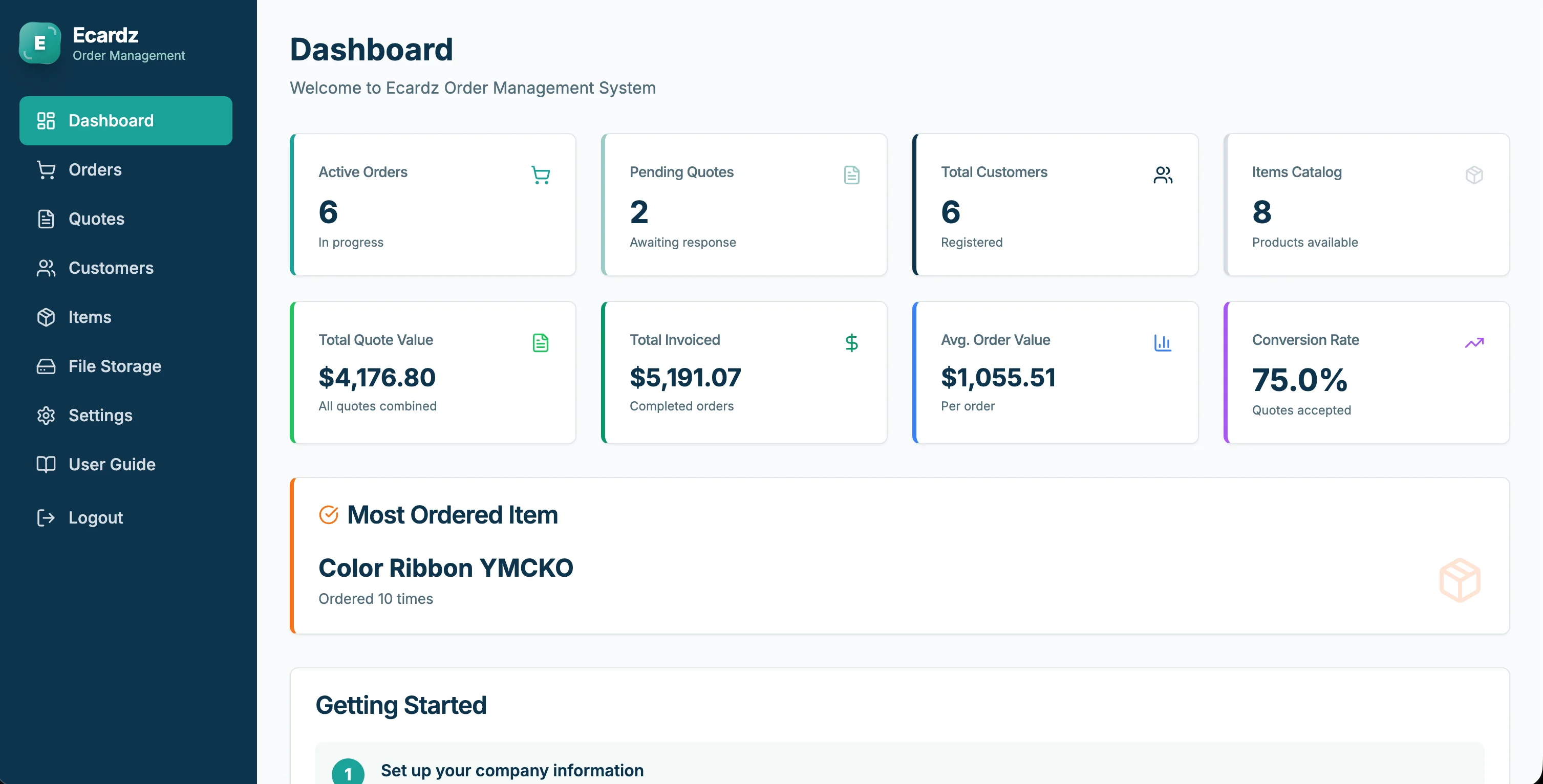
💡 See These Strategies in Action
Real businesses, real results. Explore how companies implemented these concepts:
Key Takeaways
Quick wins and actionable insights from this guide:
- Automate one workflow at a time—parallel launches overwhelm teams and guarantee failure
- Choose first automation by frequency × time × error rate × revenue impact, not annoyance level
- Measure baseline metrics before launch and compare at 30 days—without data, you can't prove ROI
- Shelfware happens when tools are too complex, lack integration, or have no named owner
- Change management is essential—frame automation as removing worst tasks, involve team in design
- Fix broken processes before automating them—AI amplifies what exists, including chaos
AI 101 Services Team
Business Automation Specialists
AI 101 Services helps service businesses implement AI automation solutions that deliver measurable ROI. With 21+ solutions delivered and 15+ clients served, we specialize in turning manual chaos into streamlined digital workflows.